

Create your API key from the Huntr dashboard. OAuth clients ask for it once in Huntr’s authorization page. Store the key securely; do not commit MCP config files that contain it.
Claude
Claude Desktop connects to Huntr as a native remote connector. No settings file, local bridge, Node.js installation, or custom header is required.Step 1: Open the custom connector setup
In Claude Desktop, open Settings, select Connectors under Customize, click Add, then choose Add custom connector.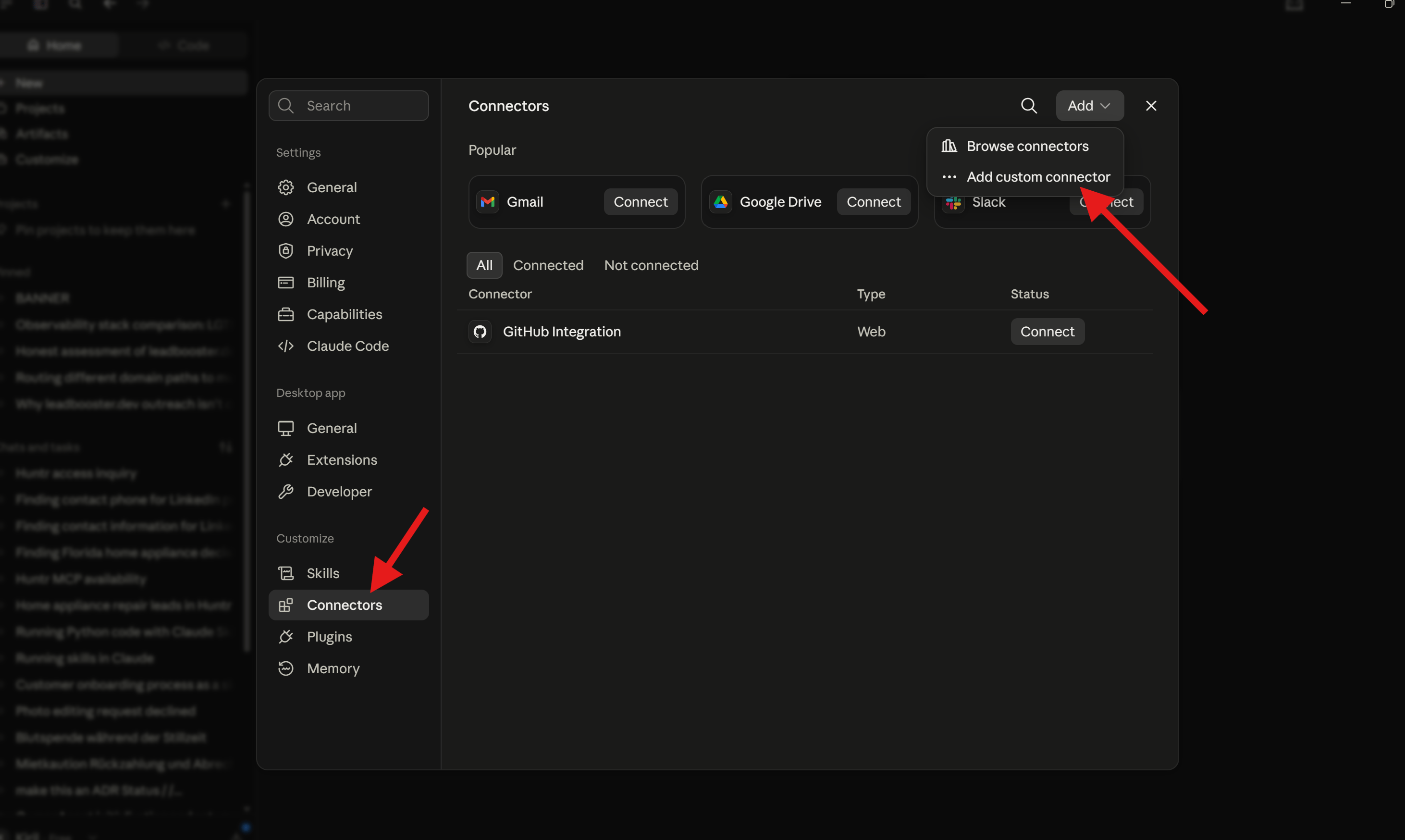
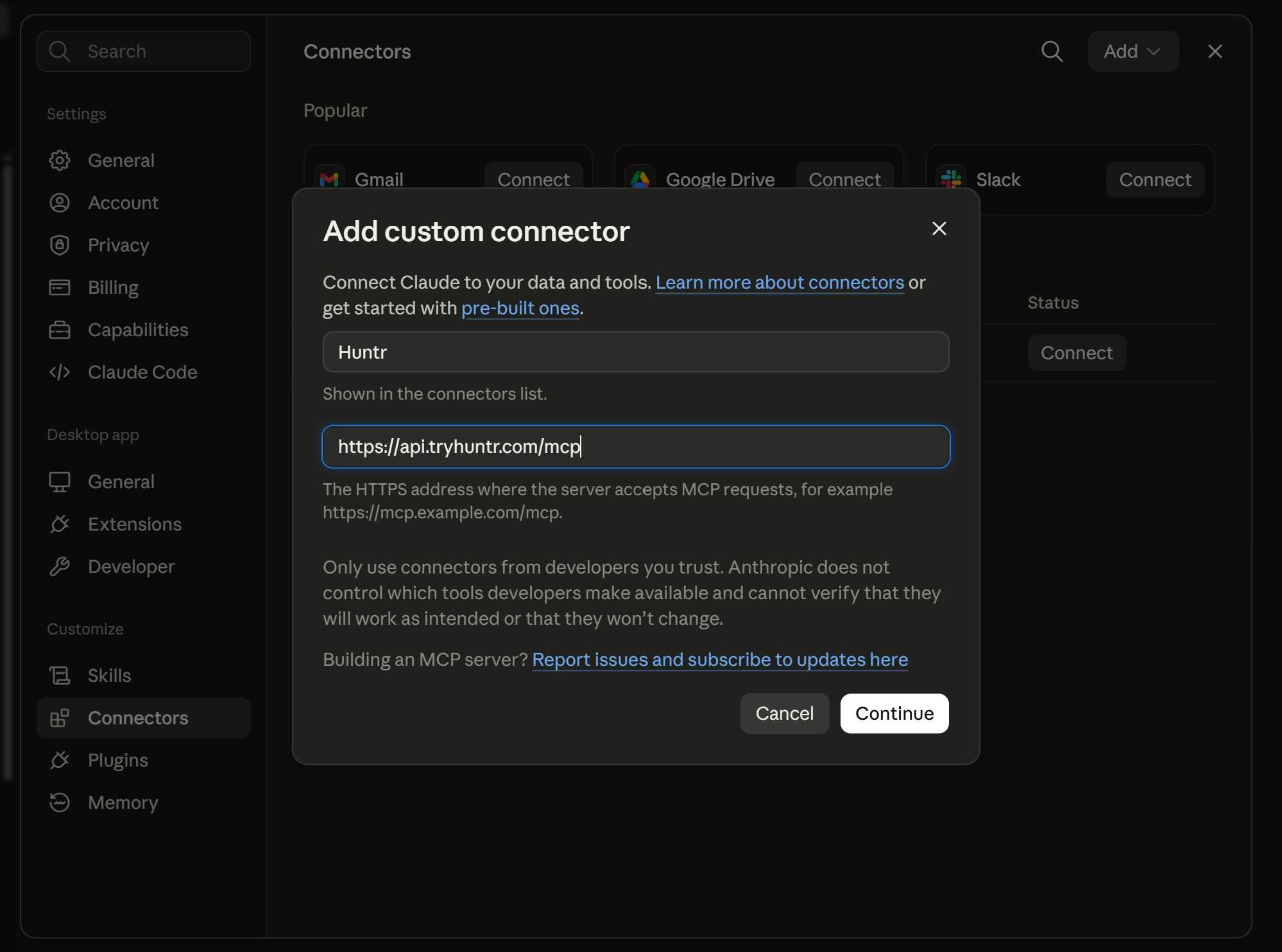
Step 2: Enter the Huntr MCP server
EnterHuntr as the connector name and paste this exact server URL:
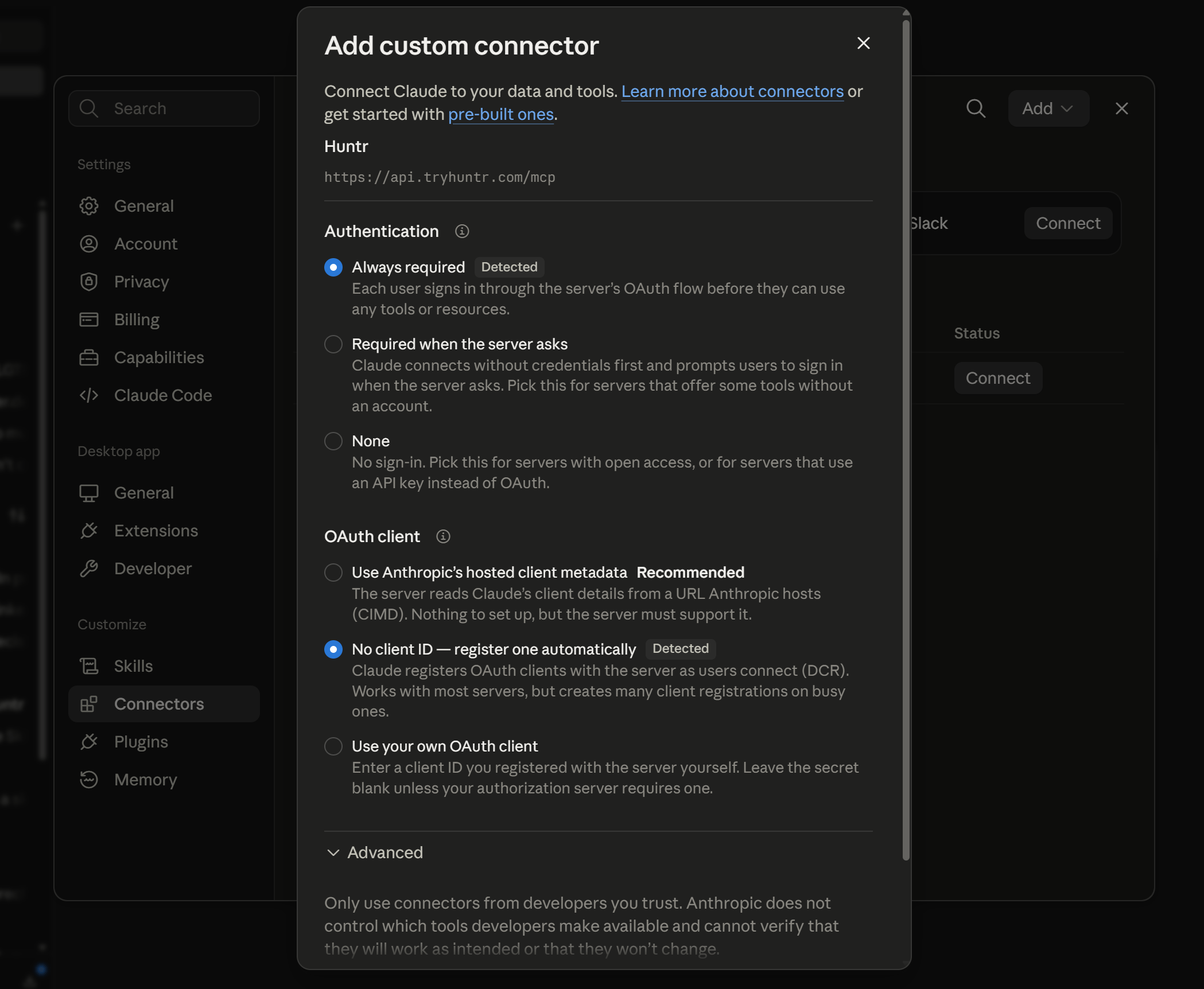
Step 3: Choose OAuth authentication
Claude detects Huntr’s OAuth support. Select:- Authentication: Always required
- OAuth client: No client ID — register one automatically
Step 4: Start the connection
Open the new Huntr connector and click Connect. Claude opens Huntr’s authorization page in your browser.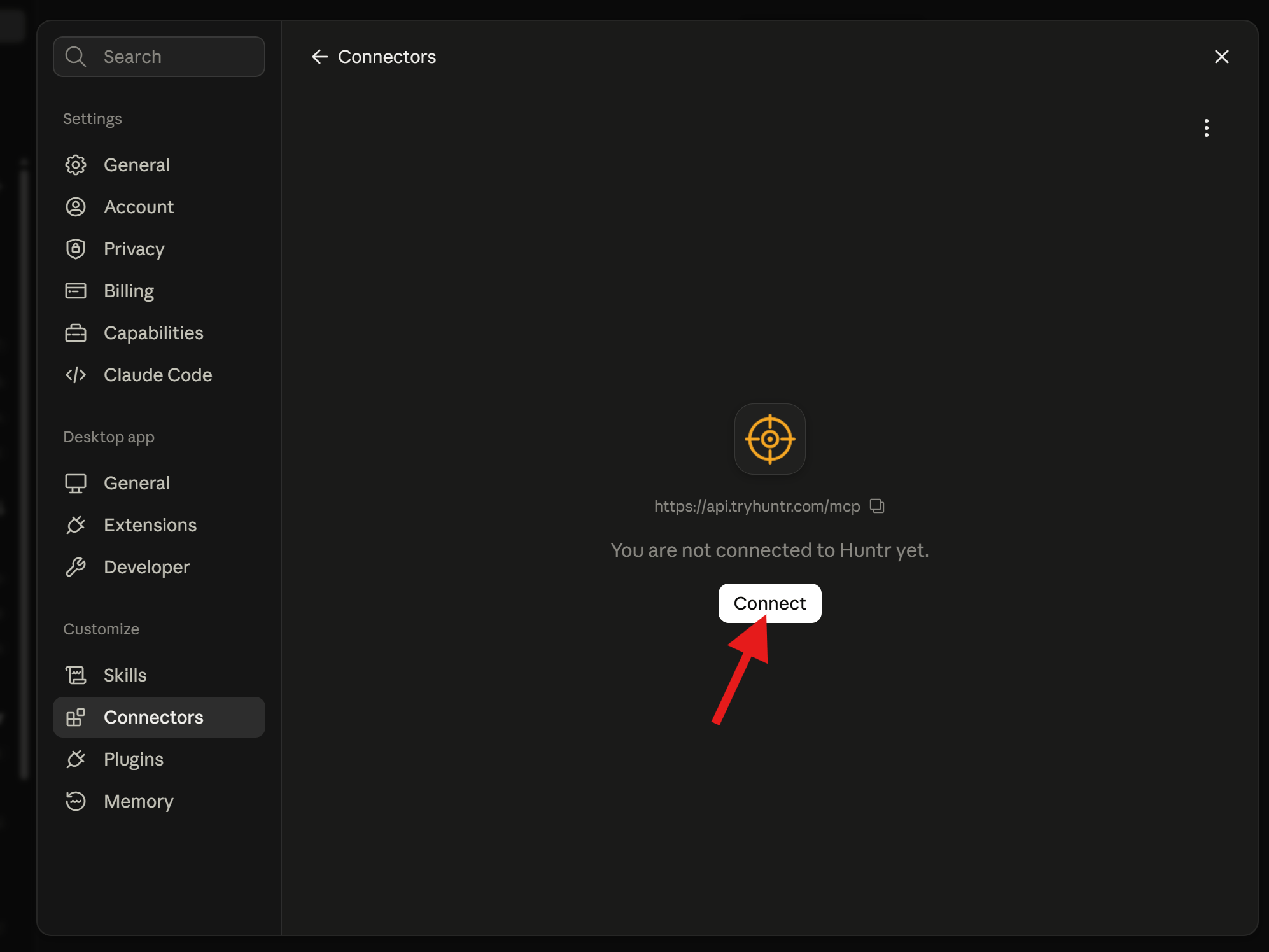
Step 5: Authorize with your Huntr API key
Paste your Huntr API key into the authorization page and click Connect Huntr. If you do not have a key, use Create or find your Huntr API key to open the dashboard. The browser sends the authorization result back to your Claude account. The remote connector then becomes available in Claude Desktop; you do not need to add the API key to a settings file.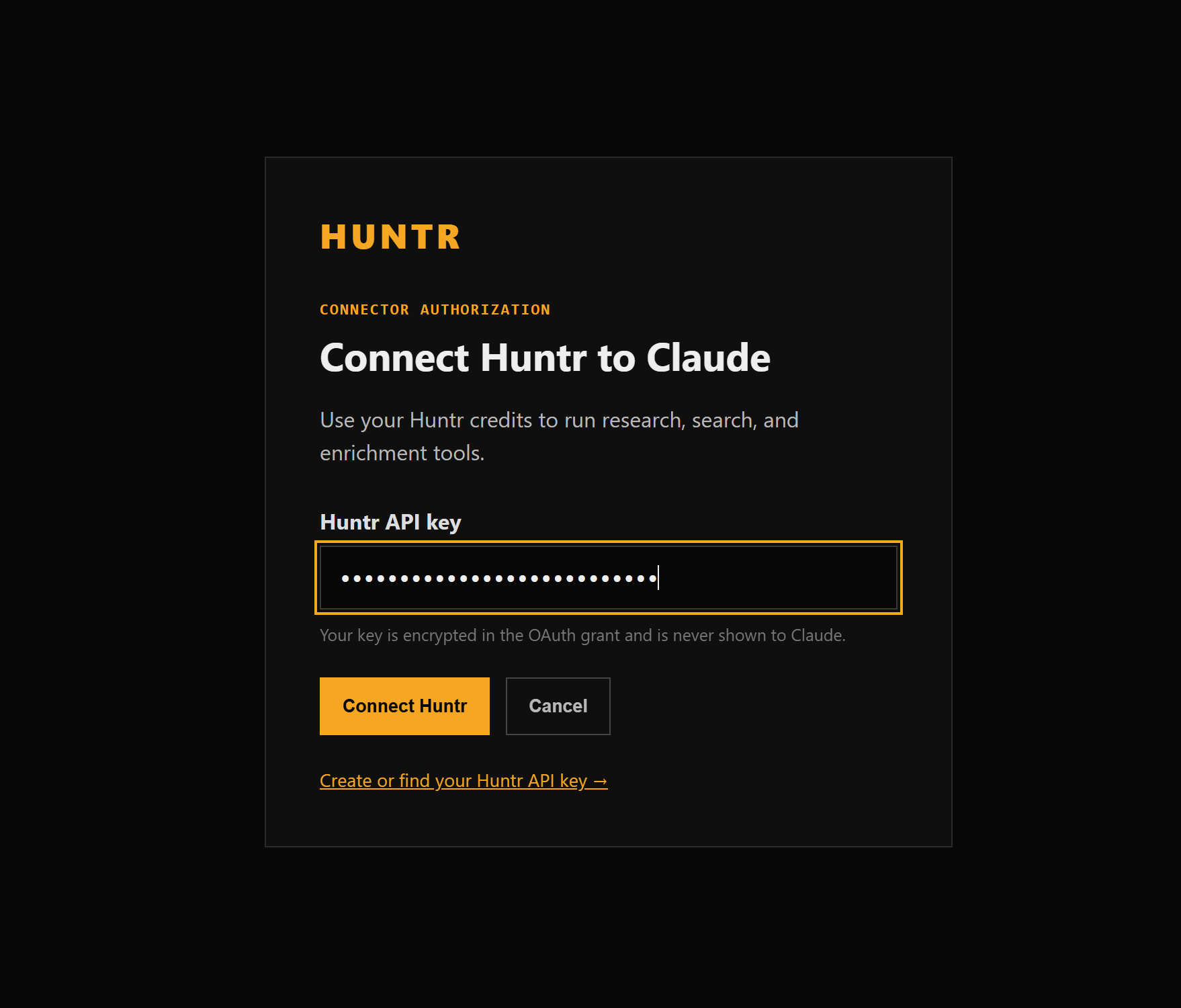
Step 6: Confirm access and choose tool permissions
Return to Settings → Customize → Connectors → Huntr and confirm the connector shows Disconnect, which means it is connected. Claude groups Huntr tools into Read-only tools and Write/delete tools. Set each group to Always allow if you want Claude to call Huntr without asking before every tool request. To approve calls individually and control when credits are used, leave the groups in an approval-required mode instead. You can then enable Huntr for a conversation from the + menu under Connectors.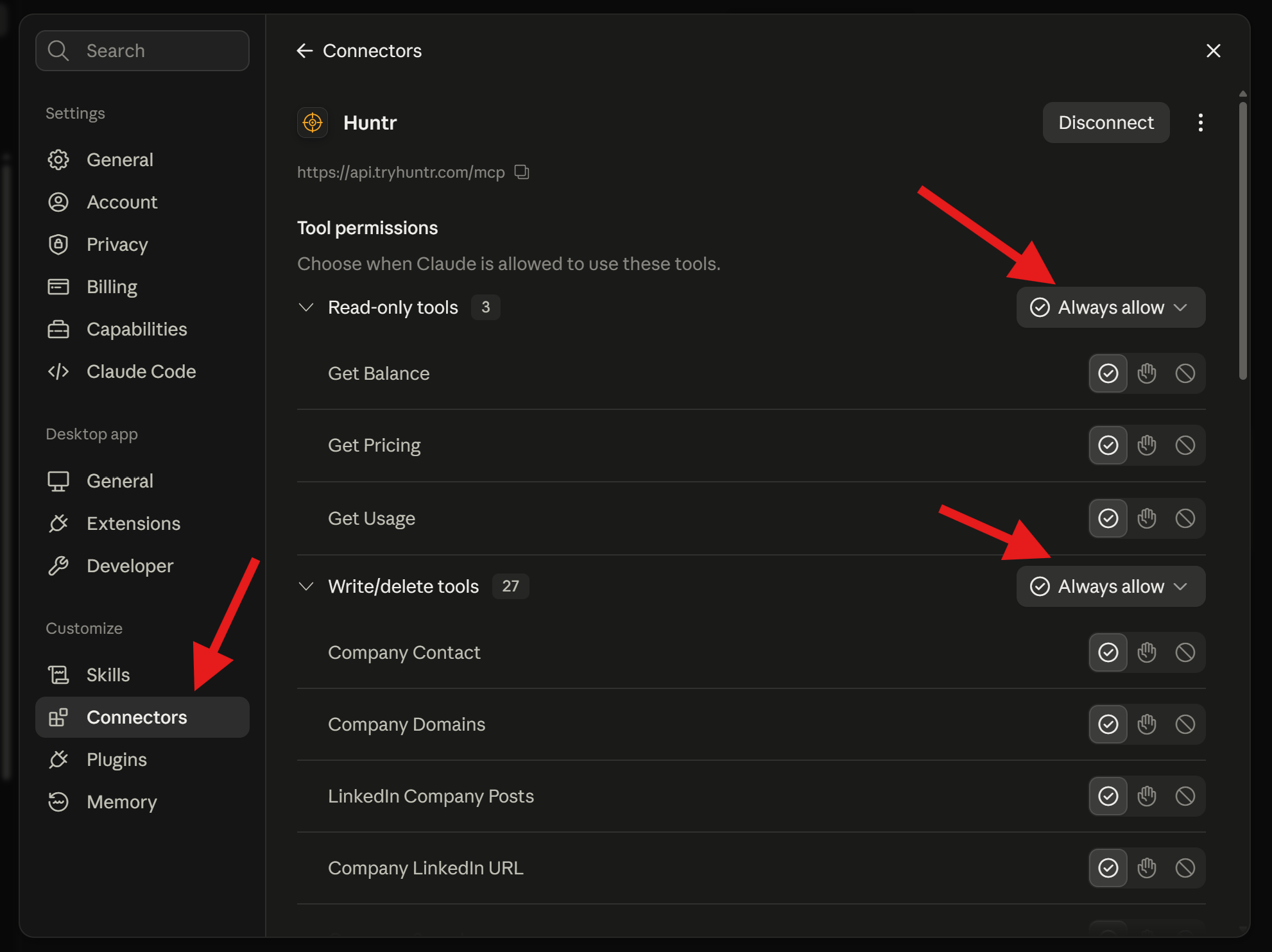
Claude Code
OAuth setup
API-key setup prompt
Copy this into a Claude Code chat:Manual API-key setup
ChatGPT
ChatGPT connects to Huntr through its plugin UI and Huntr’s browser-based OAuth flow. You do not need to edit a configuration file, create an OAuth client, or add a custom API-key header to ChatGPT.Step 1: Enable Developer mode
Open ChatGPT Settings → Security and login, then turn on Developer mode. Availability depends on your ChatGPT account and workspace policy.Step 2: Add Huntr in ChatGPT Plugins
Open ChatGPT Plugins, click the + button, and create a connection with:- Name: Huntr
- Description: GTM research, company search, people search, and enrichment tools
- Connection: Public endpoint
- MCP server URL:
Step 3: Enable Huntr in a conversation
Start a new ChatGPT conversation, open the tools menu, and add Huntr. Then ask ChatGPT to use a Huntr tool, for example:Step 4: Authorize your Huntr account
When ChatGPT asks you to connect, continue to the Huntr authorization page. Paste your Huntr API key and click Connect Huntr. Create or retrieve a key from the Huntr dashboard if needed. ChatGPT exchanges the authorization code for its own access token and returns to the conversation. Your Huntr API key is not added to ChatGPT settings or shown to the model.Step 5: Run a tool
Approve the tool request when ChatGPT asks. Once the balance result appears, the connection is ready for research, search, enrichment, and the other Huntr tools.If Developer mode or the + button on ChatGPT Plugins is unavailable, your account or workspace policy does not currently allow custom MCP connections.
Codex
Quick setup prompt
Copy this into a Codex chat:Manual setup
Set your API key in the environment:~/.codex/config.toml:
Cursor
- Open Cursor Settings.
- Open MCP.
- Add a new global MCP server.
- Paste this config into
~/.cursor/mcp.json:
Windsurf
Add Huntr to your Windsurf MCP configuration:huntr tools appear.
VS Code
If your VS Code MCP client supports HTTP MCP servers with custom headers, add Huntr with this server definition:mcpServers format instead, use:
Cline
Open Cline’s MCP server settings and add Huntr as an HTTP MCP server:Zed
If your Zed MCP setup supports HTTP servers and headers, add Huntr as:What your agent can do
Once connected, your AI client can call the same Huntr workflows available through the REST API.Build lists
Enrich contacts
Research accounts
Website and page intelligence
LinkedIn and X signals
Usage and pricing checks
Example prompts
Find contactsTroubleshooting
Next step
- Huntr Skills — ready-made GTM workflows powered by these MCP tools
- Research Agent guide
- Choose your workflow
- API Reference